Due diligence
What to check before you say yes.
For the people who approve a new system: your IT, legal and safety teams. Each point below is how Fortia works today, not a promise.
For IT and legal
The AI drafts. People decide.
Fortia’s AI writes drafts at the steps where typing slows people down. A person files, changes or throws away every draft, and the AI modules stay off until an admin switches them on.
- Never files
- A drafted finding stays a draft until the inspector files it.
- Never picks severity
- It suggests one. The inspector chooses, and the choice is what the record keeps.
- Never assigns work
- A proposed work order waits for a manager to accept it.
- Never publishes
- A program drafted from a regulation stays a draft until someone publishes it.
- Never signs
- The sign-off review recommends and flags. A person acknowledges the flags and signs.
Before text reaches a model, email addresses, Danish CPR numbers and phone numbers written in international form are replaced, in transcribed voice notes, in the sign-off review and in work-order drafts. If no model is available, the sign-off review still runs its rule-based checks.
For IT
Access starts closed.
Only an owner or admin with organization-wide scope sees every site. Everyone else sees the sites they are granted and nothing more. Grant a facility group, and the groups inside it come with it.
- Six roles
- Owner, admin, manager, inspector, translator and viewer, each with its own permissions.
- One person at a time
- Give one person a permission their role does not have, or take one away.
- Teams never widen access
- A team decides who does the work, never who sees a site.
- Assigned work is visible
- Work assigned to someone directly is theirs to see without a grant. Picking up unassigned work still needs one.
For legal
When Fortia staff help, you can see it.
To help, Fortia staff open a session as one of your people. They give a reason first, the session ends after an hour at most, and every change made in it is logged.
The person whose account was opened finds each session under Account, Support access: when it ran, why, how many changes it made and how it ended.
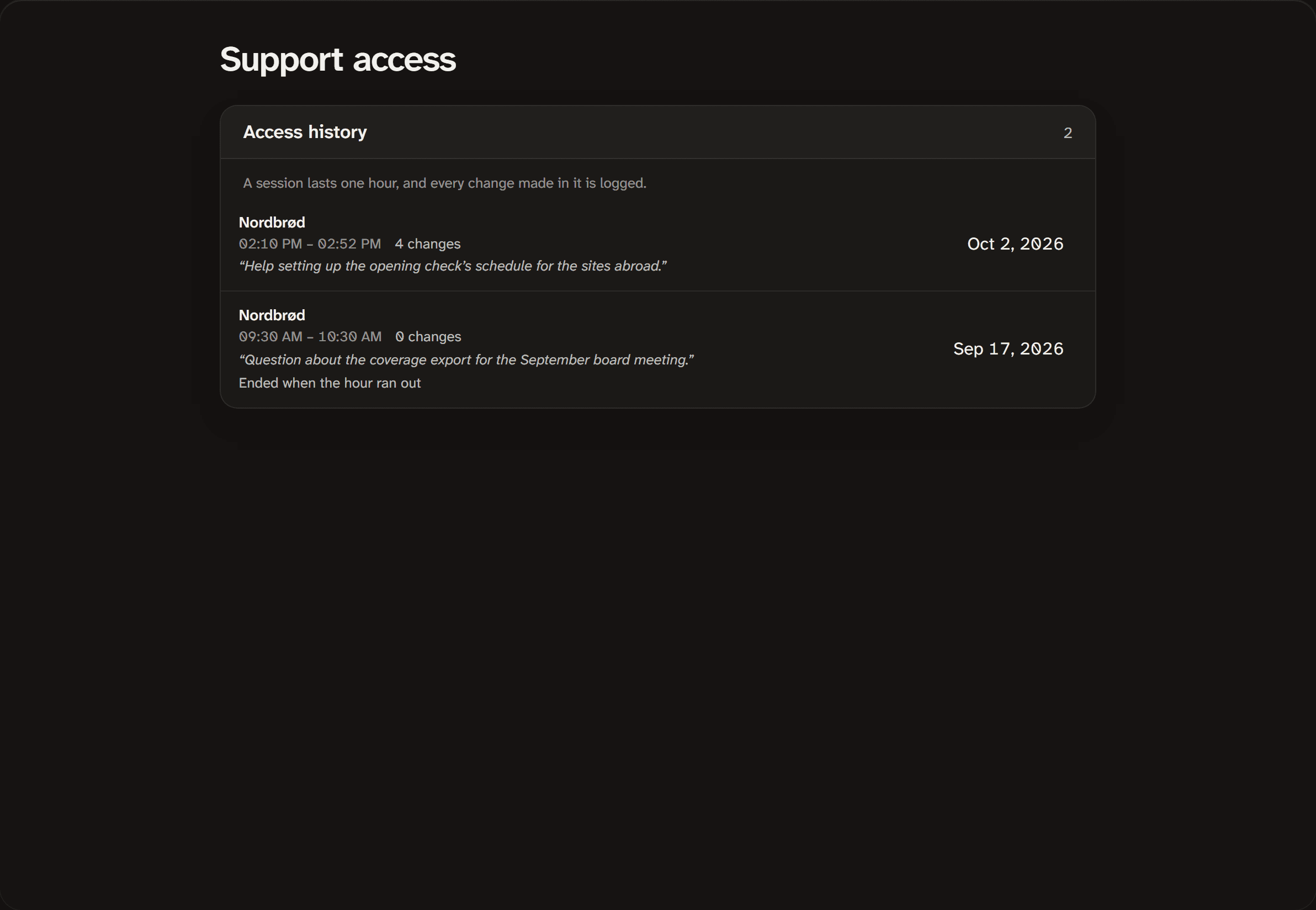
Support access on Anna’s account: two sessions, each with its reason. Demo data from fictional sites. For safety and audit
Every inspection event, with a name and a time.
The audit log lists what happened in each inspection: started, answer saved, finding raised or seen again, halted, reopened, signed. Anyone with access to reports sees it for the sites they are granted, and it exports as CSV for the dates you pick.
It covers inspections. A program’s changes live in its versions, each published with a note saying what changed.
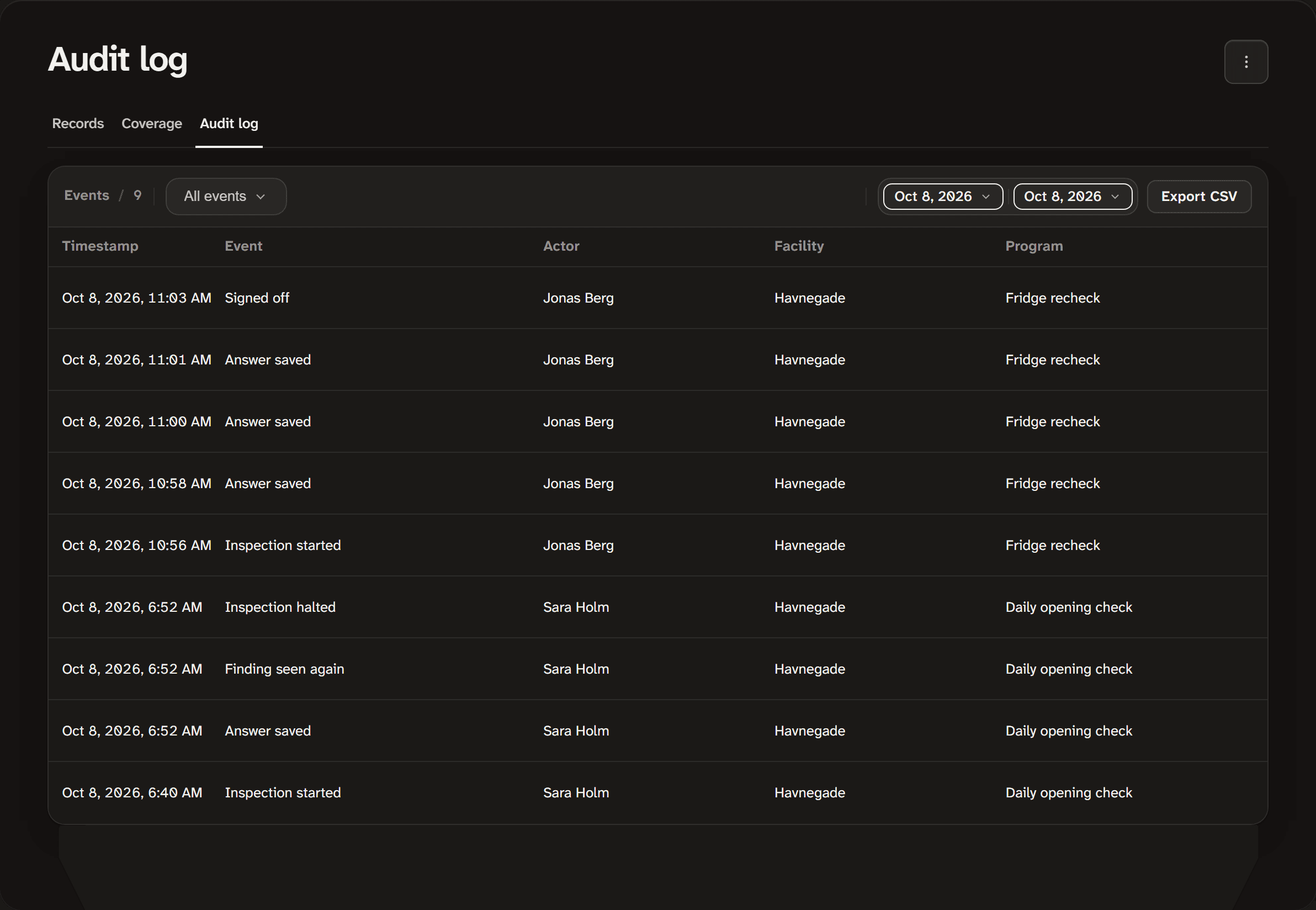
Havnegade’s day in the audit log, from the opening check at 06:40 to the recheck signed at 11:03. Demo data from fictional sites. For safety
What a signature guarantees.
What holds for every inspection, at every site, whoever runs it.
- Answers live on the device first
- With no signal, every answer is saved on the phone and syncs when it is back online.
- The review comes before the signature
- Before anyone signs, the sign-off review reads the answers. A flag that blocks has to be acknowledged.
- A halted run is not signed clean
- When a critical answer halts a run, it can’t be signed while that answer stands. The inspector can keep documenting.
- The version is fixed
- An inspection finishes on the program version it started on. A published version never changes.
- A second signature when it is needed
- A program can require a supervisor to countersign before the inspection is done.
- Reopening keeps the history
- A manager or admin can reopen a signed inspection with a written reason. Signatures and result clear; every event stays.
For IT
Two languages for the product. 20 for your programs.
The product speaks Danish and English. The programs your inspectors run can speak far more.
- Danish and English
- The whole product in both, chosen by each person.
- Programs in 20 languages
- With the Translations module, a program runs in any of 20 languages, so each inspector runs it in their own.
- Sign-in
- Email and password, a sign-in link sent by email, or a Google or Microsoft account matching the work email.
Sign-in through your own identity provider, and passkeys, are not available yet.
Something your team needs to see that this page does not answer? Ask when you request early access.